

Not sure how to get into your PDF Embedder account? Whether you need to download the plugin, check your license key, or manage your billing details, everything starts with logging in to your account at wp-pdf.com.
This guide walks you through how to access your PDF Embedder account and what to do if you need to reset your password.
Logging Into Your Account
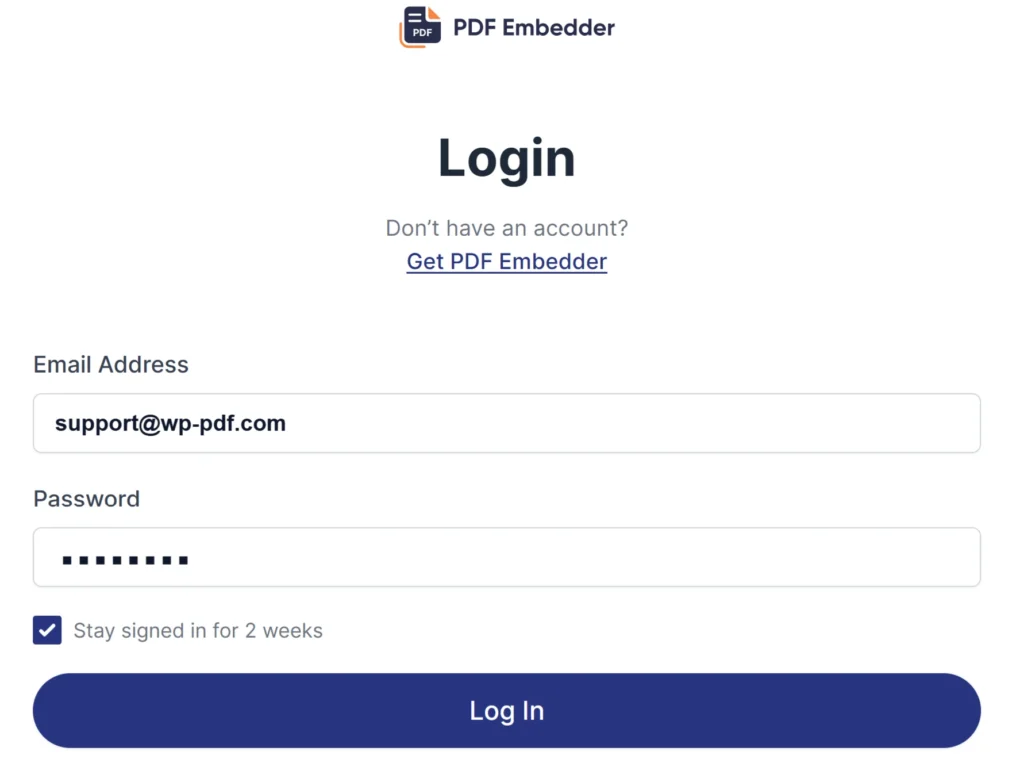
First, visit the WP-PDF login page or click the Account link in the main navigation on our website. Here, you’ll need to enter the email address associated with your account and your account password to Log In.
Recovering a Lost Password
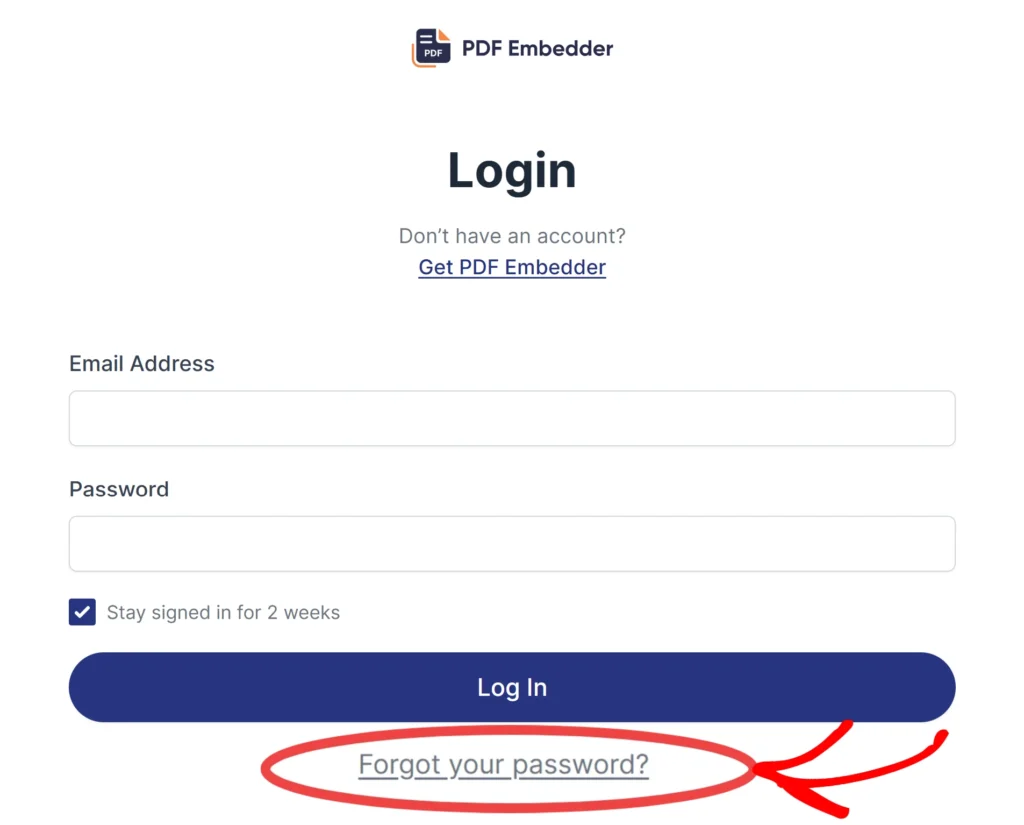
If you do not remember or do not have your password, you need to click the ‘Forgot your password?‘ link on the login page.
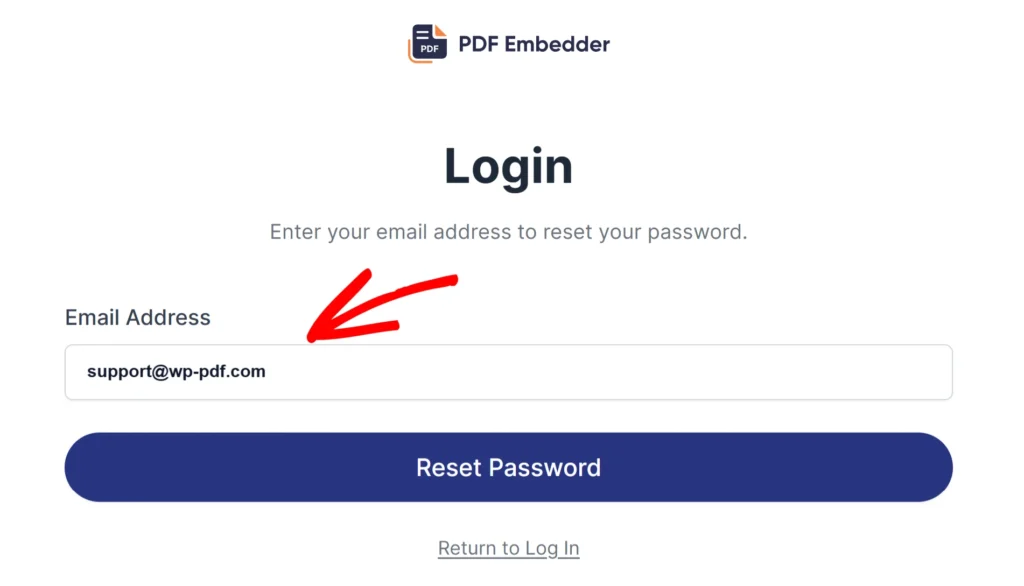
This will open the password reset page, where you can enter the account email address (unless changed, this should be the email used when purchasing the plugin). Add the email address and click on the Reset Password button.
You will receive an email with a link to set a new password. Follow that link to create your new password. Once done, return to the login page to sign in.
Frequently Asked Questions
Below, we’ve addressed the most common questions about accessing a PDF Embedder account.
I did not receive a password reset email. What should I do?
We recommend checking your spam or junk folder first. If the email is not there, you can contact support so the team can assist you.