

Are you looking to use PDF Embedder on a site built with a drag-and-drop page builder? Page builders like Elementor, Divi, WPBakery, and Beaver Builder handle media insertion differently from the standard WordPress editor, which means PDFs need to be added via shortcode rather than through the builder’s own media picker.
This guide explains why the standard insertion method does not work in page builders and walks through the steps to embed a PDF using a shortcode module.
Why page builders require a different approach
Most drag-and-drop editors use their own method to access the WordPress Media Library. This breaks the automatic shortcode insertion that PDF Embedder performs when you select a PDF through the standard Add Media button. As a result, using the PDF Embedder widget or block through a page builder’s native interface typically displays the PDF as a plain link rather than an embedded viewer.
The solution is to add the embed shortcode manually using a text, HTML, or code module.
Embedding a PDF using a shortcode module
We suggest keeping your WordPress Media Library open in a separate browser tab before you start. This will make it more convenient when you need to copy the PDF’s file URL during the process.
- In your page builder, add a module that supports plain text, raw HTML, or shortcodes. In Elementor, this is the Text Editor or HTML widget; in Divi, use the Code module; in WPBakery, use a Raw HTML element.
- Inside the module, enter the PDF Embedder shortcode with an empty URL value:
[pdf-embedder url=""] - Switch to the Media Library tab in your browser.
- Click on the PDF you want to embed to open its detail view.
- Copy the File URL shown in the right-hand panel.
- Paste the URL between the quotation marks in the shortcode:
[pdf-embedder url="https://example.com/wp-content/uploads/2015/01/Plan-Summary.pdf"] - Save or publish the page.
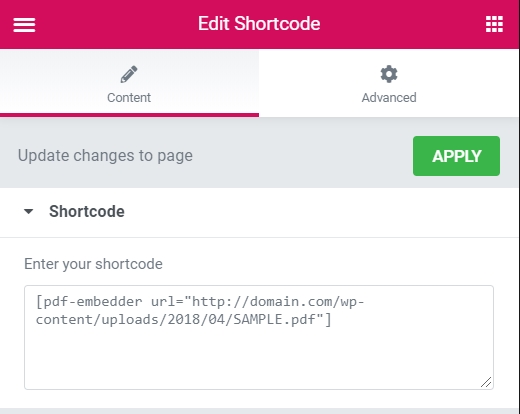
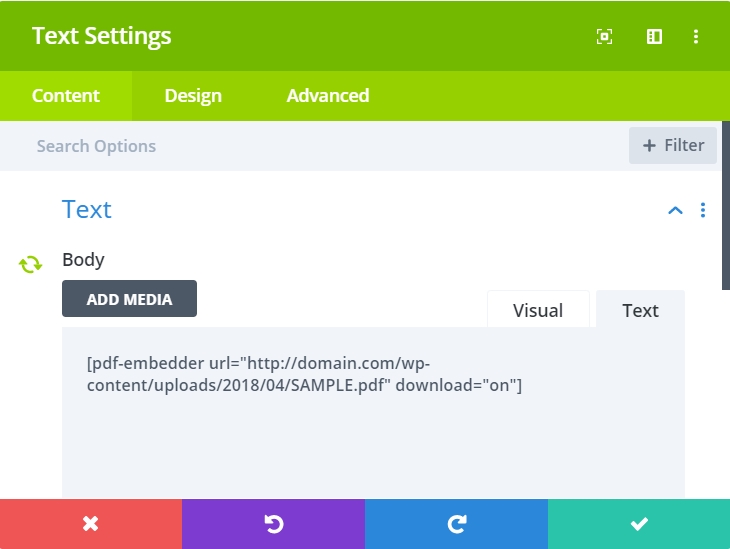
Any shortcode attribute available in PDF Embedder works here. Add them alongside the url parameter as needed. For example:
[pdf-embedder url="https://example.com/wp-content/uploads/2015/01/Plan-Summary.pdf" width="600" toolbar="top"]
Code language: JSON / JSON with Comments (json)
Frequently asked questions
Below are some common questions about using PDF Embedder with page builders.
Can I use this method with the Free version?
Yes. The shortcode method works with both the Free and Premium versions of the plugin.
Why does my PDF show as a link instead of a viewer?
This usually means the shortcode was not processed by WordPress before the page builder rendered the output. Make sure the shortcode is placed inside a module that processes raw shortcodes, not a module that displays plain text or sanitizes HTML. Check your page builder’s documentation for the correct module type.
Does this work with every page builder?
The shortcode approach works with any page builder that includes a text, HTML, raw code, or shortcode module. This covers Elementor, Divi, WPBakery, Beaver Builder, and most other popular builders.