

Are you looking to start embedding PDFs on your WordPress site? The free PDF Embedder plugin is available directly from the WordPress.org plugin repository and takes only a few minutes to get running.
This guide covers two methods for installing the free PDF Embedder plugin.
Option 1: Installing from the WordPress Admin
This is the fastest method. To get started, log in to your WordPress dashboard and head to Plugins > Add Plugin, then type “PDF Embedder” in the search bar.
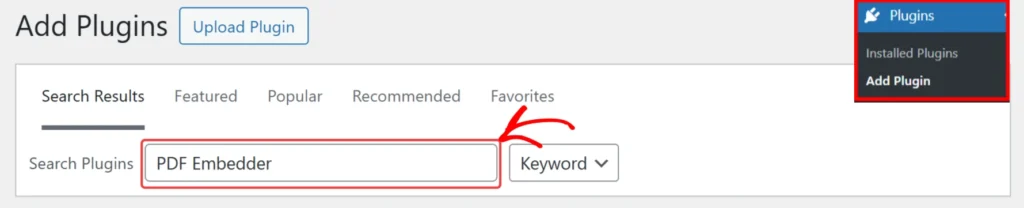
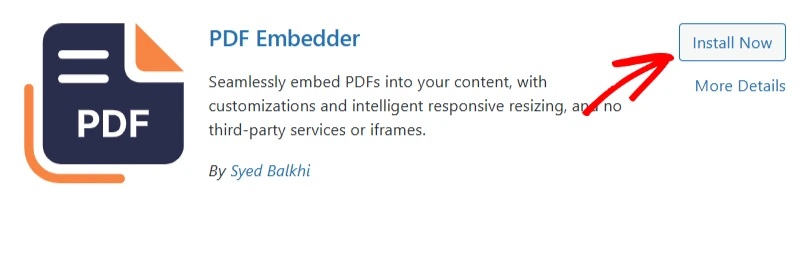
This will give you a list of plugins with the keyword. Find the PDF Embedder plugin in the results and click Install Now.
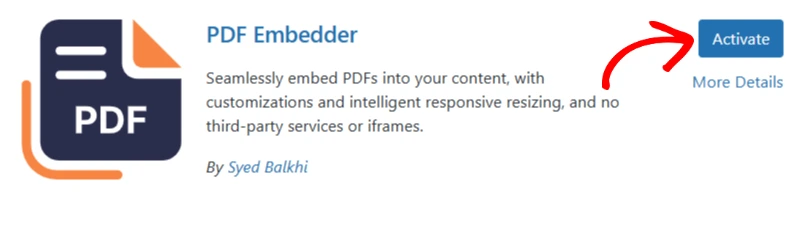
Once the installation finishes, click Activate to enable the plugin on your site.
Option 2: Installing Manually via Upload
If installing the plugin directly on the site does not work, you can upload the plugin file manually to your site. To get started, you need to download the free plugin from the WordPress.org plugin repository.

Once you have downloaded the plugin, go back to your WordPress dashboard and head to Plugins > Add New, then click Upload Plugin.
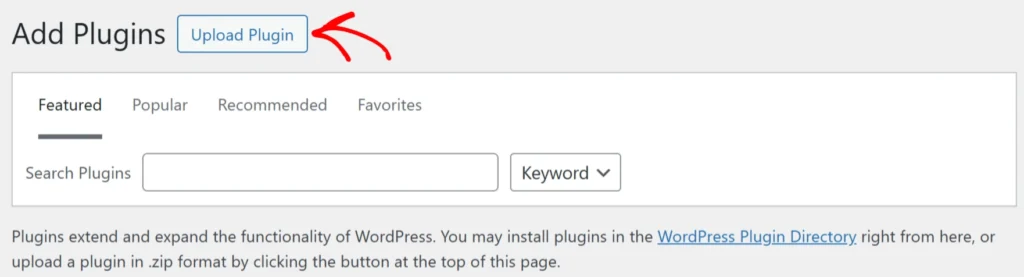
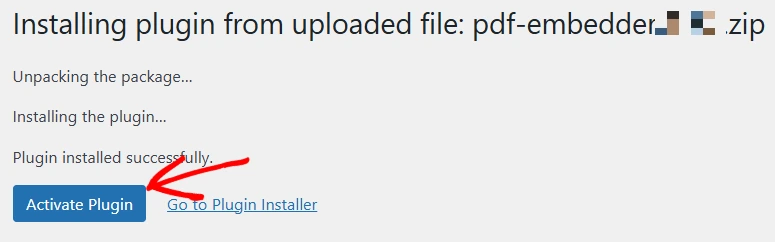
This will show a button to ‘Choose File‘. Click on this and select the downloaded PDF Embedder ZIP file from your computer, then click Install Now to get the plugin installation started. When the installation finishes, click Activate.
The manual upload can also be used to update the plugin manually. However, you will see the ‘Replace current with uploaded‘ option instead of Install Now.