

Do you need to change the name, email, or address on your PDF Embedder account? All of your profile details are editable from within your account, including your password.
This guide shows you how to update your account profile information.
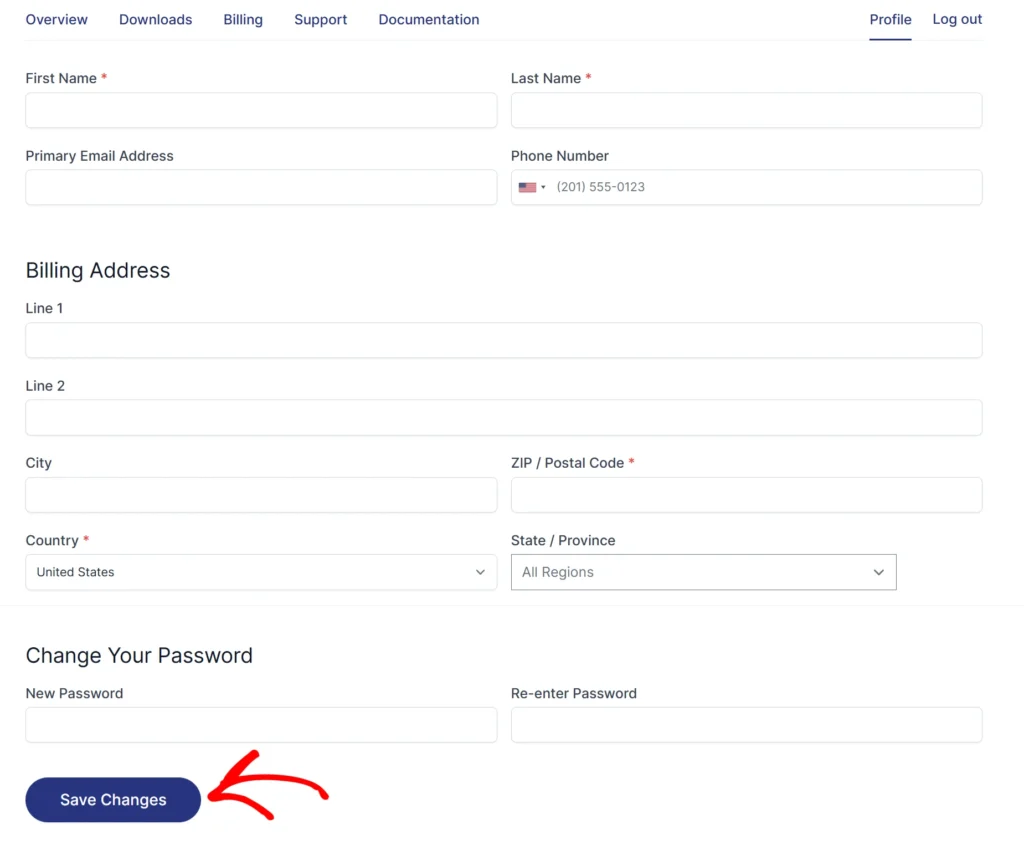
To get started, you will first need to access your account. Once you are logged in, click the Profile tab to open the profile page.

On this page, you can update any of the following fields as needed:
- First Name and Last Name
- Email Address
- Billing Address
- Password
Click Save Changes when finished.
Note: Your account username is the email address you used when you first registered. Even if you update the Email Address field, your original email remains a valid username for logging in. You can use either the original or the updated email to access your account.
Frequently Asked Questions
Below, we’ve addressed common questions about updating PDF Embedder account details.
My email does not work to log in. What should I do?
Try logging in with both your original email and your updated email, as both are accepted. See our guide on accessing your account or contact support.