

Need a formal invoice for a PDF Embedder purchase? Every payment on your account has a downloadable invoice you can generate yourself, with the option to add custom details like a VAT number before downloading.
This guide walks you through generating and downloading an invoice from your PDF Embedder account.
To get started, you’ll first need to log in to your WP-PDF account.
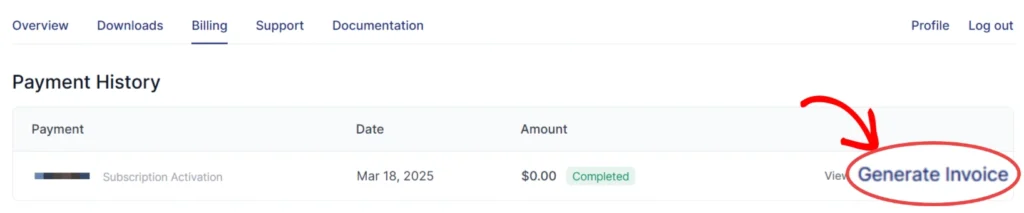
Then click on the Billing tab to open up a list of all your previous payments.

From here, click on the Generate Invoice link next to the transaction that you’d like to generate an invoice for.
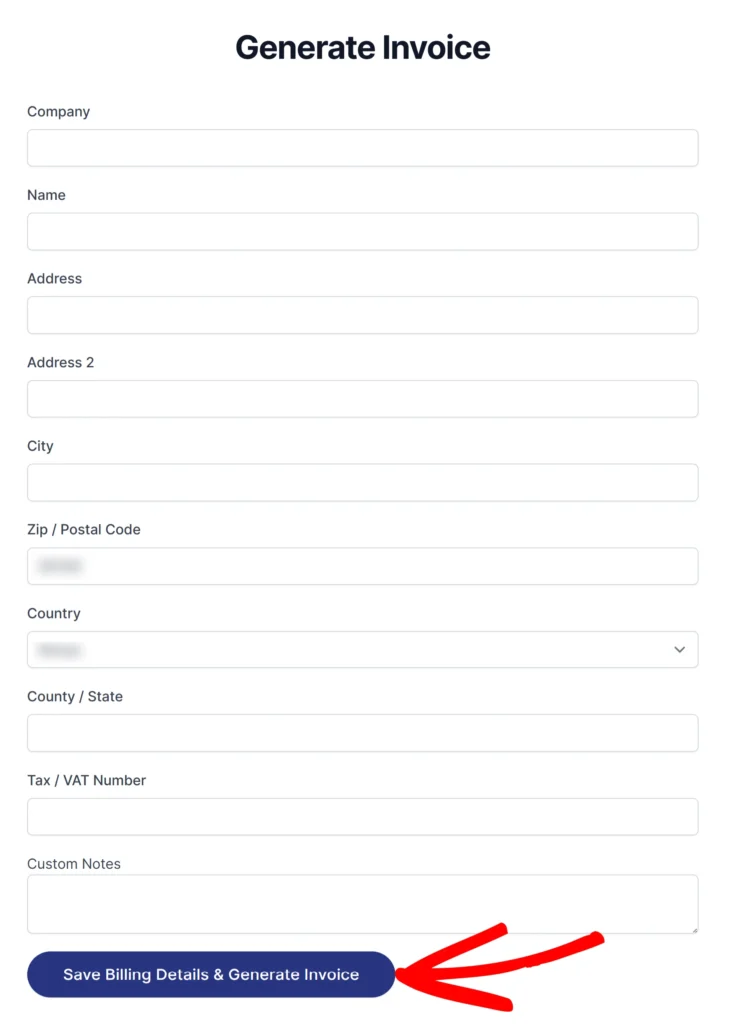
A panel opens where you can add optional billing details, such as:
- Company name
- Billing Address (2 lines)
- City
- Zip / Postal Code
- Country
- County / State
- Phone
- Tax / VAT Number.
Add the details as needed, then click the Save Billing Details & Generate Invoice button to generate your invoice.
Note: The Generate Invoice link is not available for refunded payments. In such cases, you can only generate an invoice for the the refund transaction.