

Have you purchased a PDF Embedder Premium license and are ready to install it on your site? This guide walks you through installing and activating the PDF Embedder Premium plugin.
Requires: PDF Embedder Premium
Prerequisites
Before you get started, there are several things you should check to ensure the installation process is seamless.
- Make sure you have installed and activated the PDF Embedder Lite plugin on your site. The Premium plugin extends the functionality of the free version.
- Ensure you check the PDF Embedder changelog to confirm your WordPress version meets the minimum requirements for the latest release.
- Access your account and download the premium plugin. This gives you the latest version of the plugin file.
Installing the Plugin
Once you have reviewed the requirements and downloaded the plugin, go back to your WordPress dashboard and head to Plugins > Add New, then click Upload Plugin.
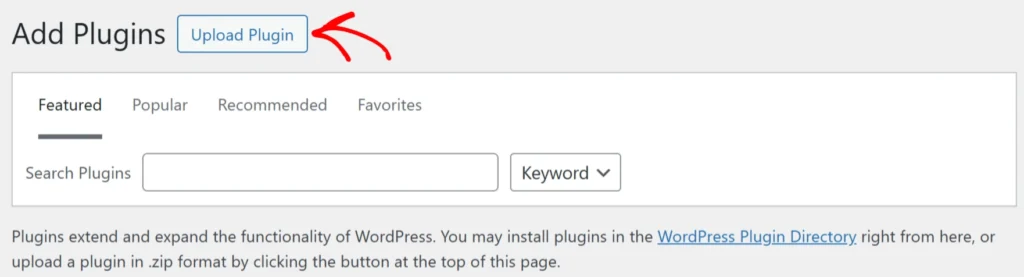
This will show you a button to ‘Choose File‘. Click on this and select the downloaded PDF Embedder ZIP file from your computer, then click Install Now to get the plugin installation started. Once installation finishes, click Activate Plugin.
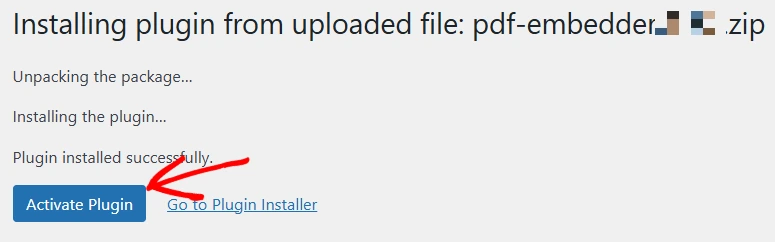
The manual upload can also be used to update the plugin manually. However, you will see the ‘Replace current with uploaded‘ option instead of Install Now.
You have successfully installed PDF Embedder Premium. Next, please check out how to verify your PDF Embedder license on your site.