
Are you trying to renew your PDF Embedder license, but not sure how? Renewing the license takes a few minutes and ensures you have access to important plugin updates.
This guide will show you how to renew your PDF Embedder license.
Renewing From Your Account
To get started, you’ll first need to access your account.
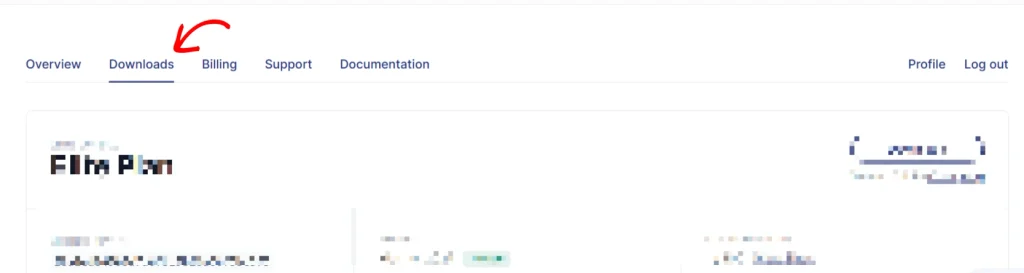
Once you are logged in, go to the Downloads tab. This page lists all your purchased licenses.
Locate the license you want to renew on the page. Click on the Reactivate this License to Download button next to it, then complete the checkout.
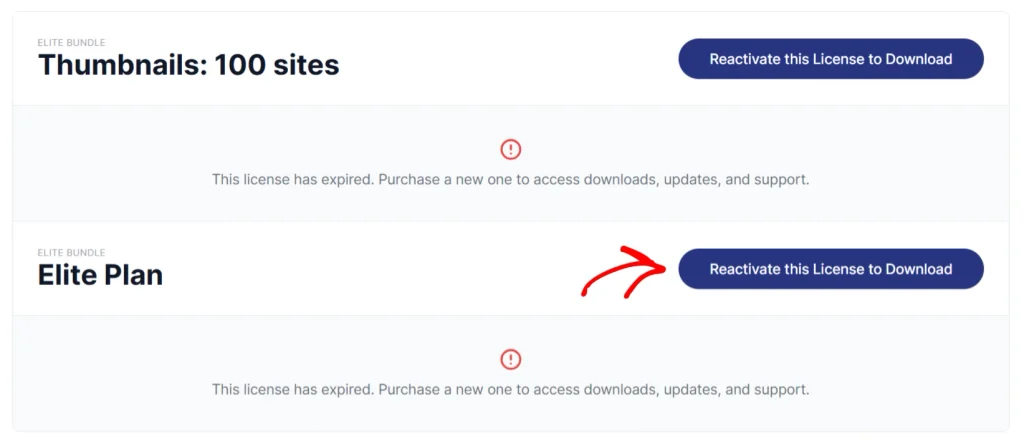
Note:The button appears on expired subscriptions only. If your subscription is still active, there is nothing to renew yet.
Using Renewal Email
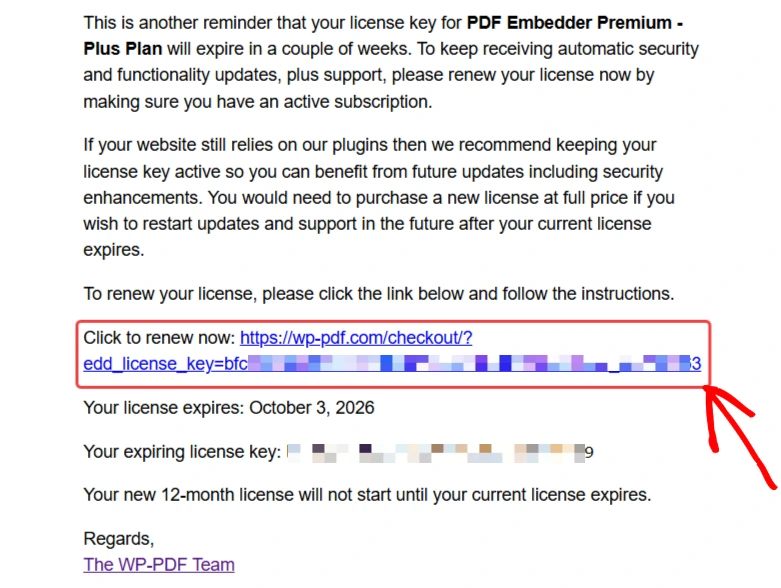
If you have canceled the auto-renewal on your PDF Embedder license subscription, you will receive an automated renewal reminder at the email address linked to your WP-PDF account.
If the reminder is not in your inbox, check your spam or junk folder. Find and open that email, then use the included renewal link to complete the checkout.
If neither option helps you renew your license, get in touch and send the details to our support team.
Frequently Asked Questions
Below, we have answered some of the most common questions about renewing a PDF Embedder license.
What happens if I do not renew my license?
The plugin keeps working on your site, but plugin updates stop, and Premium support ends. Our Cancelling Your Subscription guide covers exactly what changes once a subscription ends.
Can I upgrade to a higher license instead of renewing?
The Upgrade button only appears on active subscriptions, so renew the expired license first. Once it is active again, follow our Upgrading Your License guide.
Are renewals refundable?
Our 14-day money-back guarantee covers new purchases only. Renewals are nonrefundable as per our terms of service.